
Download myStoryGen – AI‑Powered Bedtime Story Generator, Free & Secure
Overview
myStoryGen is an innovative AI‑driven web application that transforms a simple title or keyword into a fully‑fledged bedtime story in seconds. Designed for parents, teachers, and anyone who loves storytelling, the platform generates unique narratives for children ranging from toddlers to pre‑teens. Each story is paired with a high‑resolution, context‑relevant illustration that can be downloaded for offline reading or printing.
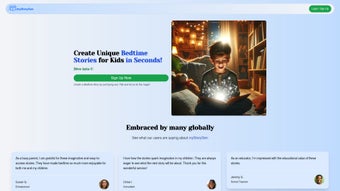
The interface is intentionally minimalistic: users type a title (e.g., “The Brave Little Squirrel”), click “Create,” and receive a polished story with a charming image within moments. While the first few stories are offered for free, ongoing use requires purchasing credits, ensuring a sustainable model without intrusive ads. The service is praised for its imaginative output, speed, and educational value, making it a popular choice among families and educators worldwide.
Though it lacks offline mode and deep content customization, myStoryGen’s core strength lies in its ability to spark imagination quickly, turning bedtime into an adventure every night.
Core Features that Set myStoryGen Apart
- Instant Story Generation: Produce a complete narrative in under 10 seconds after entering a title.
- AI‑Powered Creativity: Advanced language models craft original plots, characters, and moral lessons tailored to the chosen age group.
- Customizable Age Settings: Choose from toddler, early‑reader, or pre‑teen modes to adjust vocabulary complexity and story length.
- Integrated Illustrations: Every story comes with a unique, royalty‑free image that matches the theme, ready for download in PNG or JPEG format.
- Free Starter Pack: New users receive three complimentary stories, allowing them to test the quality before purchasing credits.
- Credit‑Based Pricing: Flexible pay‑as‑you‑go model; each credit unlocks one story and its accompanying image.
- Multilingual Support (Beta): Early support for Spanish and French, expanding the reach to non‑English speaking families.
- Secure Cloud Processing: All generation happens on encrypted servers, ensuring privacy for both parents and children.
- Responsive Design: Works seamlessly on desktops, tablets, and smartphones, adapting to any screen size.
- Educational Insights: Optional summary that highlights key vocabulary and moral themes for post‑reading discussions.
Installation, Usage & Compatibility
myStoryGen is a pure web application, which means there is no traditional “installation” process. Users simply need a modern browser and an internet connection. Here’s a step‑by‑step guide to get started:
Step 1 – Access the Platform
Visit www.mystorygen.com on any device. The landing page presents a clean input field labeled “Enter your story title.” No download or registration is required to try the free stories.
Step 2 – Create an Account (Optional but Recommended)
While you can generate the first three stories anonymously, creating a free account lets you track credit usage, save favorite stories, and receive promotional credits. Sign‑up only requires an email address and a password; social sign‑in options are also available.
Step 3 – Generate a Story
- Enter a descriptive title (e.g., “Luna’s Moonlit Adventure”).
- Select the desired age range from the dropdown.
- Click the bright “Create Story” button.
Within seconds, the AI composes a narrative and a matching illustration appears alongside it. You can preview the text, edit the title if needed, and then click “Download Story & Image” to save a PDF and the image file to your device.
Step 4 – Purchase Additional Credits
If you exhaust the free stories, navigate to the “Credits” tab. Packages start at $4.99 for ten credits and scale up for larger bundles. Payments are processed securely via Stripe, supporting major credit cards and PayPal.
Compatibility
myStoryGen runs on any operating system that supports a modern web browser, including Windows 10/11, macOS Ventura and later, Chrome OS, Android 8.0+, and iOS 13+. Because it is cloud‑based, the performance is consistent across devices, and there is no need for separate desktop or mobile apps.
Pros, Cons & Frequently Asked Questions
Pros
- Lightning‑fast story creation saves time for busy parents.
- High‑quality, age‑appropriate narratives encourage reading habit.
- Beautiful, royalty‑free illustrations add visual appeal.
- Pay‑as‑you‑go credit model offers flexibility.
- Responsive design works on all major platforms.
Cons
- No offline mode – an internet connection is required for every story.
- Limited deep customization (cannot edit plot details beyond title).
- Free tier provides only three stories, which may feel restrictive.
- Multilingual support is still in beta and not comprehensive.
- Credit pricing can add up for heavy users.
Frequently Asked Questions
Is myStoryGen safe for children’s data?
Yes. All story generation occurs on encrypted servers, and no personal data from the child (such as names or photos) is stored. The platform complies with GDPR and COPPA guidelines.
Can I edit the generated story before downloading?
You can edit the story title and request a new generation, but the body of the story is not directly editable. This ensures the AI maintains narrative coherence.
What file formats are available for download?
Stories are downloadable as PDF files, while images are offered in PNG and JPEG formats at 1080p resolution.
Do I need a credit for each illustration?
One credit unlocks both the story text and its accompanying illustration. There is no separate charge for the image.
Is there a bulk‑purchase option for schools?
Yes. Educators can contact the support team for custom pricing and volume discounts, which include teacher dashboards for managing multiple student accounts.
Overall Rating: 4.5/5 – myStoryGen delivers on its promise of quick, imaginative bedtime stories with visual flair. The minor drawbacks are outweighed by the convenience and educational value it provides.
Conclusion – Give Your Children the Gift of Imagination
myStoryGen bridges the gap between creativity and convenience, allowing parents and educators to craft personalized bedtime stories without the hours of writing and illustration. Its AI core produces narratives that are both entertaining and age‑appropriate, while the built‑in image generator adds a professional touch that encourages children to engage with the story visually. Although the platform requires an internet connection and offers limited deep customization, the trade‑off is a remarkably fast, secure, and user‑friendly experience that can be accessed from any device.
If you’re looking for a reliable tool to enrich nightly routines, support early literacy, or simply spark a child’s imagination, myStoryGen is a solid investment. Start with the free three‑story trial, and if the magic resonates, purchase a credit pack to keep the stories flowing. Your child’s next adventure is just a title away.
Download myStoryGen now and turn every bedtime into a story‑filled journey.



.png)



